Interaction Techniques
Exploring hand gestures and keyboard-surface input through working prototypes and human evaluation.
Keyboard Surface Interaction
Switching between typing and pointing requires moving a hand from the keyboard to a mouse or trackpad. This adds transition time and can cause discomfort during tasks that require frequent switching.
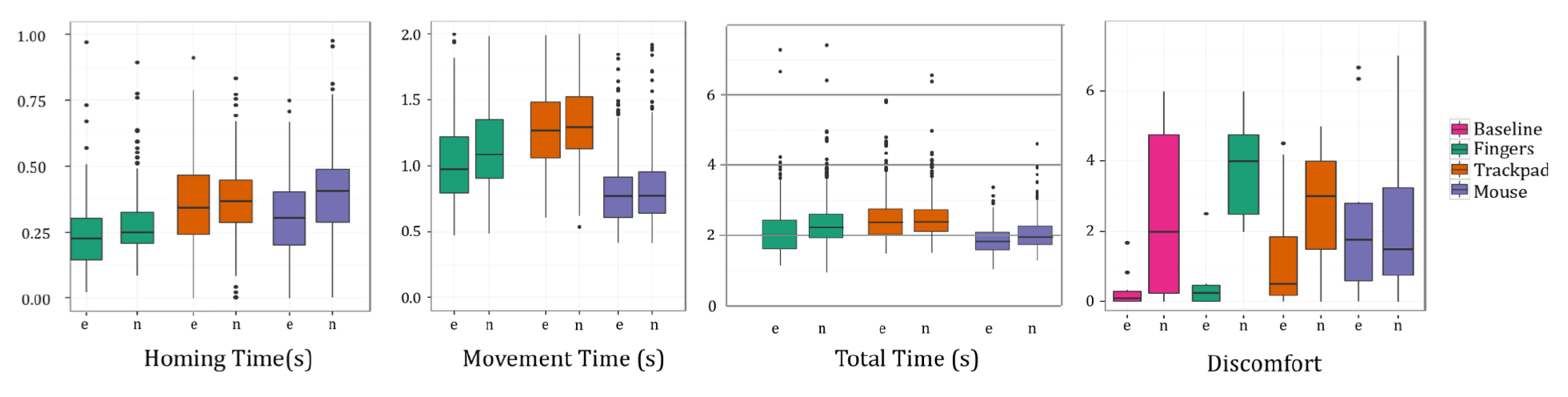
I developed Fingers, a prototype that turns the keyboard surface into a pointing area. Across three prototype versions, I refined sensing and switching between typing and pointing so users could control the pointer while keeping their hand on the keyboard. A 25-participant study compared Fingers with a mouse and trackpad in mixed typing-and-pointing tasks. With practice, Fingers reduced switching time compared with both devices and perceived discomfort compared with the mouse. Cursor movement was faster than with the trackpad but slower than with the mouse.
Serendipity
Small smartwatch screens and buttons can make quick interactions awkward, especially when the other hand is occupied. The challenge was to support subtle finger input using the hardware already available on a commercial watch.
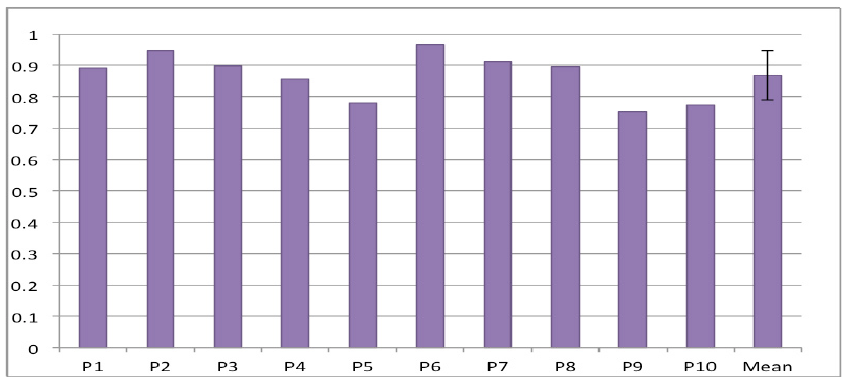
With Hongyi Wen and Anind K. Dey, I developed Serendipity, the first work to demonstrate fine-grained finger-gesture recognition using only the built-in IMU sensors of an off-the-shelf smartwatch. Our machine learning method uses accelerometer and gyroscope signals to recognize gestures such as pinching, tapping, and rubbing fingers, without additional gesture sensors. In a study with 10 participants, it distinguished five gestures with an average F1 score of 87%. Each participant’s model was trained in one session and tested on a different day, across three wrist orientations while the participant remained stationary.
Related publications
Full list →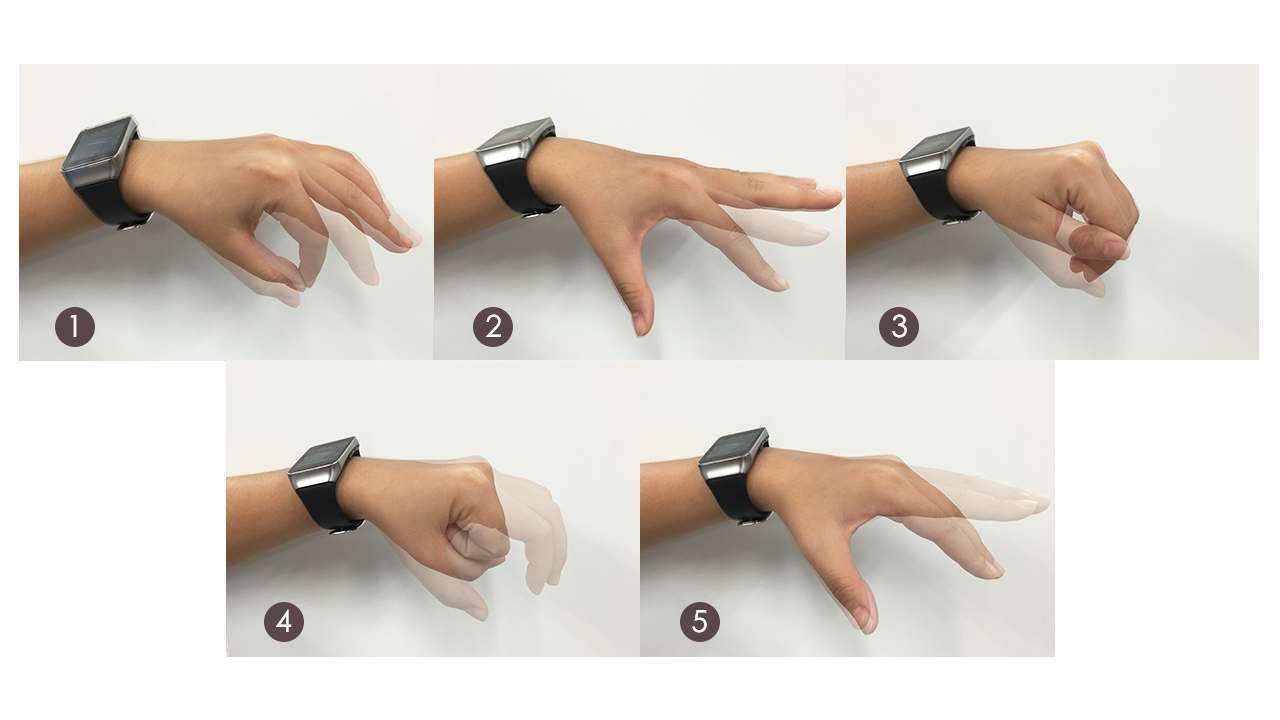
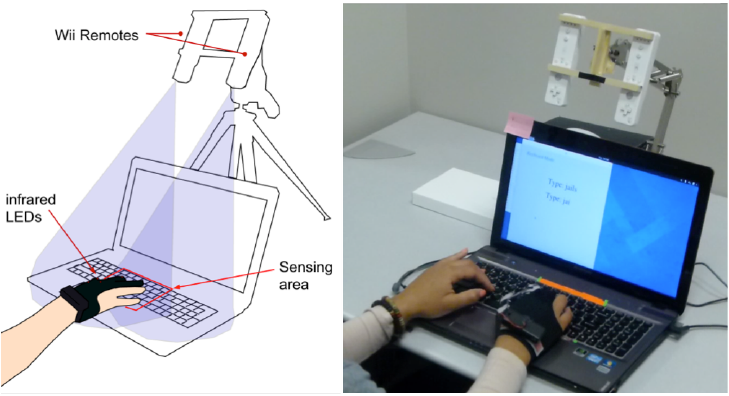 Keyboard surface interaction: Making the keyboard into a pointing device
arXiv:1601.04029 · Preprint · 2016